

New Tool Released: Value System Schema Editor (VSS Editor)
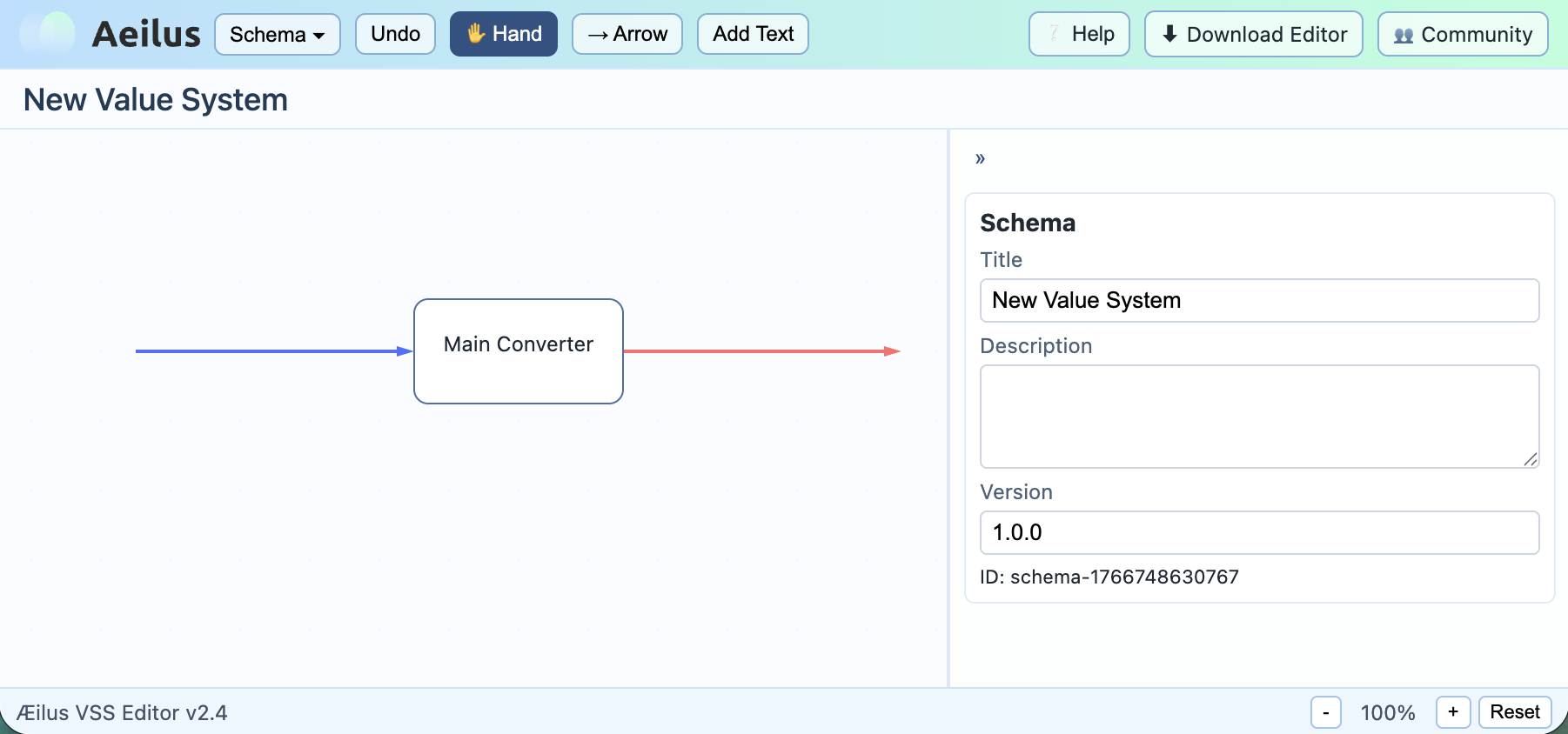
The Value System Schema Editor (VSS Editor) is a visual tool from the Æilus ecosystem designed to model, analyze, and discuss measurable value (Æ) as a system.
Instead of talking about value abstractly, VSS Editor allows you to explicitly describe how value is created, transformed, transferred, and lost inside products, teams, and organizations.
This article explains what the editor is, how it works, and how to use it in practice.
What Is a Value System?
In Æilus, a Value System is a structured model that describes:
- where value enters the system,
- how it is transformed,
- how it flows between components,
- where it exits,
- and where anti-value (loss, waste, risk, delay) appears.
Value in this context is represented as Æ (measurable value) - a conceptual currency that allows value to be compared, reasoned about, and eventually calculated.
What Is VSS Editor?
Value System Schema Editor (VSS Editor) is a browser-based visual editor that allows you to build such systems using a clear graphical notation.
You can access it here:
The editor focuses on structure and logic, not calculations. It is intentionally simple and opinionated.
Core Elements of VSS Editor
VSS Editor is built around a small number of fundamental elements.
1. Flows
Flows represent movement of value (Æ) between elements.
They answer questions like:
- What is transferred?
- From where to where?
- Is this value increasing, stable, or degrading?
Flows can represent:
- information,
- money,
- effort,
- trust,
- time,
- capacity,
- or any other value carrier.
2. Converters
Converters are value transformation points.
They take one or more incoming flows and transform them into outgoing flows.
Typical examples:
- development process,
- review or approval step,
- automation,
- decision-making,
- customer interaction.
Converters are where value is created, amplified, or destroyed.
3. Inputs and Outputs
Inputs represent external sources of value entering the system.
Outputs represent value leaving the system (customers, users, market, stakeholders).
This allows you to clearly define system boundaries.
4. Anti-Value
Anti-value represents losses and negative effects, such as:
- delays,
- rework,
- defects,
- bureaucracy,
- risk,
- burnout,
- wasted effort.
Anti-value is not a failure - it is an explicit modeling choice that makes problems visible.
Creating Your First Value System
Step 1: Define the System Boundary
Start by answering a simple question:
What system am I modeling?
Examples:
- a software delivery pipeline,
- a product development cycle,
- a support process,
- a startup as a whole,
- a single team workflow.
Add inputs and outputs to mark where value enters and exits.
Step 2: Add Converters
Place converters inside the boundary to represent key transformation steps.
Do not model everything at once.
Start with major stages, not details.
Good rule:
If you cannot explain a converter in one sentence, it is too detail
Step 3: Connect with Flows
Connect elements with flows to show how value moves.
At this stage:
- names matter more than numbers,
- direction matters more than precision.
Focus on logic, not optimization.
Step 4: Mark Anti-Value
Where does value get lost?
Add anti-value flows or elements:
- waiting time,
- unnecessary approvals,
- context switching,
- manual operations.
This step often produces the most insights.
Working with Schemas
Saving and Loading
VSS Editor allows you to save schemas as structured JSON.
This enables:
- versioning,
- sharing,
- reuse,
- future automation,
- integration with other Æilus tools.
A schema is not just a diagram - it is a machine-readable description of value logic.
Using Schemas in Practice
Schemas can be used for:
- architecture discussions,
- product strategy alignment,
- process analysis,
- onboarding and education,
- technical debt conversations,
- leadership decision-making.
They are especially powerful in group discussions, where a shared visual model reduces ambiguity.
What VSS Editor Is (and Is Not)
VSS Editor is:
- a modeling tool,
- a thinking framework,
- a shared language for value.
VSS Editor is NOT:
- a KPI dashboard,
- a BI tool,
- a simulation engine (yet),
- a replacement for financial accounting.
It intentionally focuses on clarity before calculation.
What’s Next
VSS Editor is a foundational tool in the Æilus ecosystem.
Next steps include:
- schema viewers,
- value analytics,
- simulations,
- execution data integration,
- value-based decision support.
But all of that starts with clear value models - and that is exactly what VSS Editor helps you build.